
01
Less manual work, clearer steps
Replace manual encoding, spreadsheet copying, and chat-based approvals with tracked steps inside one system.
01 / Service · Software shaped around your team’s real workflow
We build software for your operations — bookings, patient records, approvals, and reports — so your team stops juggling spreadsheets and group chats.
01 / Business challenges
Where teams feel friction before a proper system is in place.
02 / Approach
We map the things that matter first — customers, orders, appointments, roles — then build admin and staff screens on one API so business rules live in one place. You review working milestones; nothing ships as a black box.
Fig. 01 — Platform architecture
Fig. S1 — Admin & data flow. One dashboard for your team, connected to your data
When appointments, stock, and approvals live in separate files, day-to-day work gets messy. Custom software puts that in one place: the screens your staff open each morning, the roles that keep data safe, and the reports you check before making a call. From San Pedro, Laguna, we sit with your process first — then build the system around customers, orders, and appointments the way your team already names them.
SPEC / 01Rev 2026
Fig. 01 — Service specification
03 / Capabilities
01
Replace manual encoding, spreadsheet copying, and chat-based approvals with tracked steps inside one system.
02
Admins, managers, staff, and partners each see only what their role needs — fewer accidental edits and less risk of the wrong people seeing private data.
03
See what matters each day: bookings, tickets, stock levels, revenue, or tasks that need attention.
04
Link payments, SMS, email, and other platforms you rely on so data moves between them — no double encoding.
05
Your data is structured around real-world things — customers, orders, appointments — so later changes are safer and faster.
06
Secure foundations so the system stays stable as your team, data, and requirements expand.
04 / Process
01 · Fig. 01.01
We write down how work runs today — who does what, where data lives, and which steps cause delays or errors.
02 · Fig. 01.02
We sketch the process, design the screens, and walk you through the plan before writing production code.
03 · Fig. 01.03
We build in phases, demo working features, collect feedback from your team, and adjust from real use.
05 / Fit & technology
Who this is for
What you can expect
Technology philosophy
One well-structured app before microservices. Typed APIs, audited admin tools, and hosting you can follow after handoff.
Industries served
06 / Related work
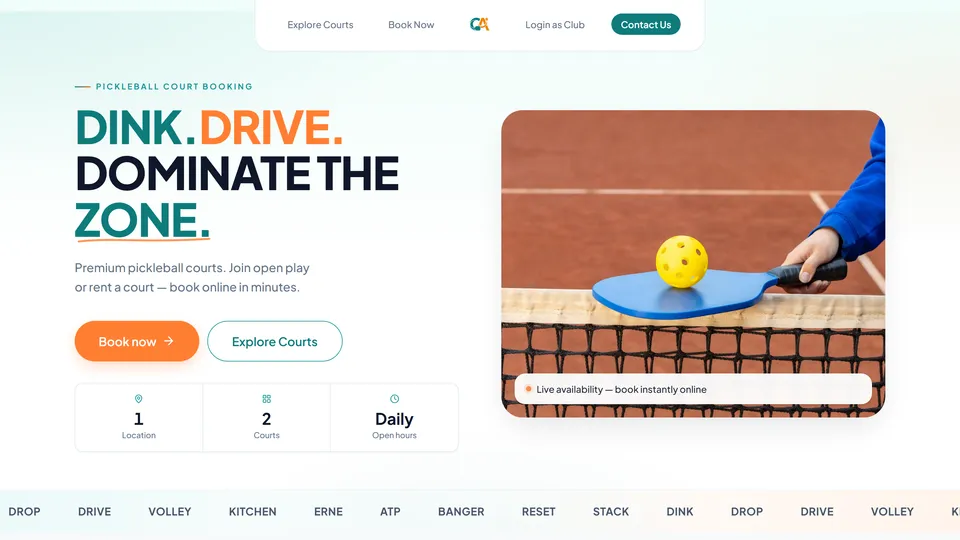
Pickleball court booking platform
Courtside Alley
Players and operators share one live schedule. Fewer double-bookings, less back-and-forth, and a booking flow that works on phones across the Philippines.
Read case study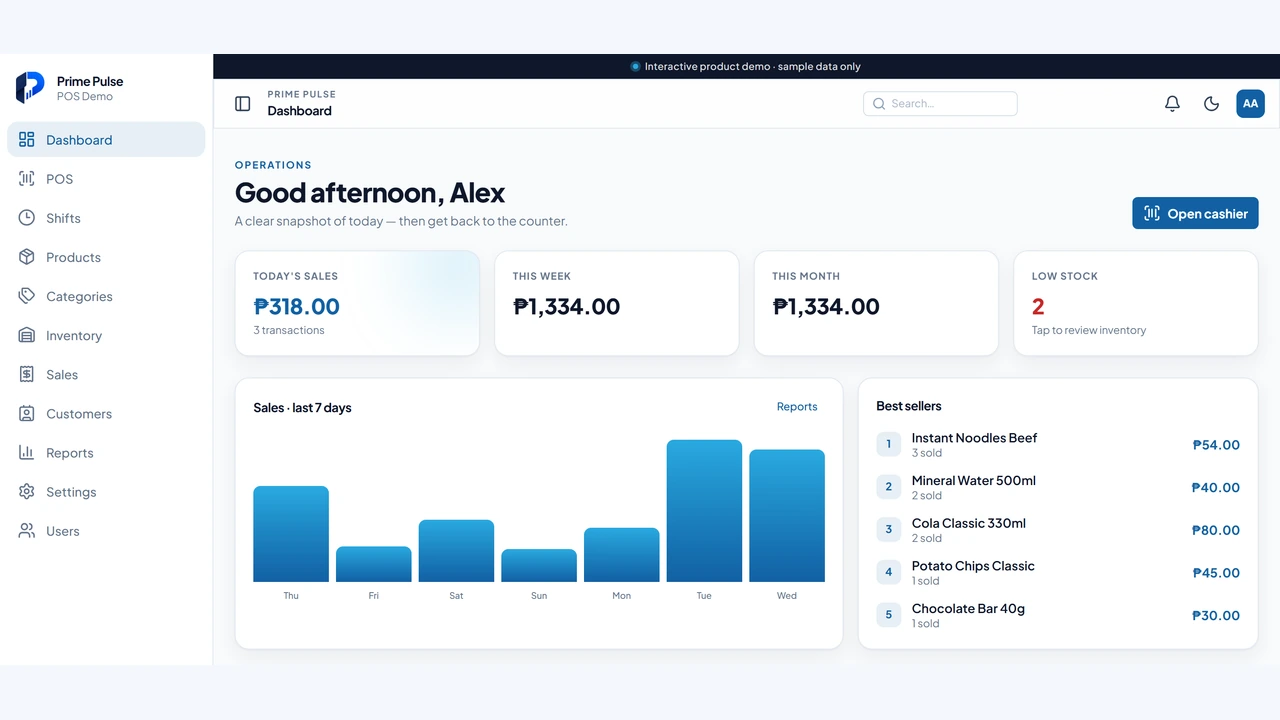
Retail point-of-sale product
Prime Pulse
Prospects can open the live demo, run a sale end to end, and see the cashier and admin workflows before committing.
Read case study
Automotive service management platform
Boxenstopp Automotive
Jobs, quotations, and collections sit in one dashboard. The shop sees outstanding balances and monthly performance without reconciling by hand.
Read case study07 / FAQ
01
If your team leans on several spreadsheets, manual updates, or tools you keep working around, you are probably ready. A short call is usually enough to see if a custom build makes sense for cost and operations.
02
Smaller internal tools can take 4–8 weeks. More complex systems with multiple modules and integrations usually take a few months. We propose a phased timeline so you can start using parts earlier.
03
Yes — where connections are available, we integrate with payment gateways, SMS or email providers, CRMs, and other platforms you already rely on.
04
Most teams start with software that works in the browser on any phone — no App Store needed. If you need offline mode, push notifications, or App Store presence, we build native apps too. See our mobile app development service or journal guide for a clear native vs web comparison.
08 / Start
Share what you want to build. We’ll help scope it, tighten the idea, and give you a realistic timeline.